
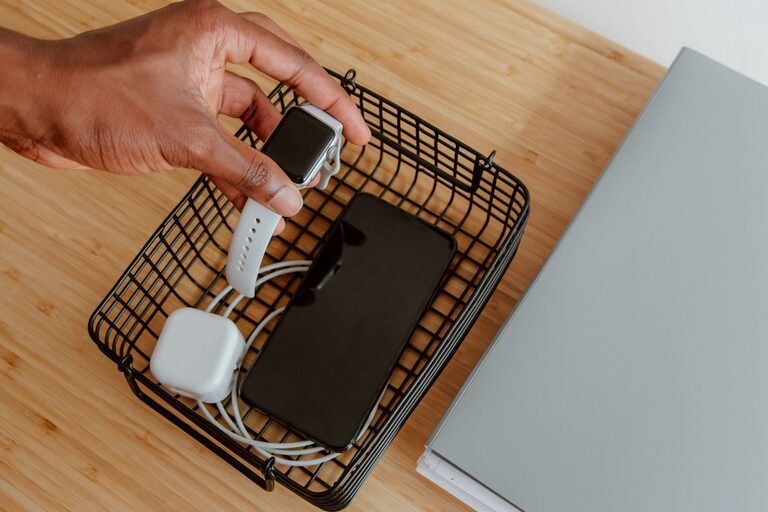
Setting up a charging station for your devices is a simple yet effective way to keep your gadgets organized, charged, and ready to go. With the growing number of smartphones, tablets, laptops, and other rechargeable devices in our homes, a dedicated charging station helps reduce clutter and ensures all your devices have a designated spot to power up.
In this post, we will walk you through the steps to create a practical charging station that fits your needs, whether it’s for a home office, living room, or kitchen. Let’s get started!
Why Set Up a Charging Station?
Before diving into the setup, it’s helpful to understand the benefits of having a charging station:
– Organization: Keeps all charging cables and devices in one place, reducing mess.
– Convenience: Makes it easy to find and charge devices quickly.
– Safety: Helps prevent cables from tangling or damage from improper charging.
– Efficiency: Saves space and can reduce energy waste with smart chargers or power strips.
Step 1: Choose the Right Location
Selecting a convenient spot is key to a successful charging station. Consider these factors:
– Accessibility: Pick a location where you and other users frequently spend time, such as near a desk, living room, kitchen counter, or entryway.
– Power Outlet Availability: Ensure there are enough outlets nearby to plug in chargers or a power strip.
– Surface Space: Look for a flat, stable surface like a small table, shelf, or drawer.
– Safety: Avoid damp or overheated areas to protect your devices and chargers.
Step 2: Gather Your Charging Supplies
Collect the items you’ll need for your station:
– Charging cables: USB, Lightning, USB-C, or other types that match your devices.
– Power strip or surge protector: Provides multiple outlets safely.
– Charging hubs or multi-port chargers: Useful for charging many devices at once.
– Cable organizers: Clips, sleeves, or holders to keep cords untangled.
– Storage container or tray: To hold devices and accessories neatly.
– Labeling materials: Optional, for identifying cables or device slots.
Step 3: Select the Charging Hardware
There are a variety of options for powering your devices:
Power Strips and Surge Protectors
A basic power strip allows multiple devices to plug in simultaneously. Choose one with surge protection to prevent damage from electrical spikes.
Multi-Port USB Chargers
These chargers have several USB ports in one unit and can be more compact and efficient than multiple individual chargers. Look for one with enough ports and appropriate power output for your devices.
Wireless Charging Pads
If many of your devices support wireless charging, adding a wireless charging pad can reduce cable clutter. Some pads accommodate multiple devices at once.
Smart Chargers
Smart chargers can detect device needs and deliver optimal power, improving charging speed and battery health.
Step 4: Organize and Manage Your Cables
Messy cables can defeat the purpose of a charging station. Use these tips to keep cables neat:
– Cable clips or holders: Attach these to your surface to route cables neatly.
– Cable sleeves or wraps: Bundle cables together for a tidy look.
– Velcro straps or ties: Secure excess cable length.
– Label your cables: This helps everyone know which cable connects to which device.
Step 5: Arrange Devices for Easy Use
Place devices so they are easily accessible while charging:
– Use a tray or docking station to keep phones and tablets upright.
– Avoid stacking devices on top of each other to prevent overheating.
– Leave enough space for ventilation around charging hubs.
– Set a rule for the charging station, such as always returning devices there after use.
Step 6: Maintain Safety and Efficiency
Keep these safety tips in mind:
– Don’t overload power strips or chargers; check the maximum wattage.
– Avoid placing devices on soft surfaces like beds or couches while charging.
– Unplug chargers when not in use to save energy and reduce fire risk.
– Regularly inspect cables and chargers for damage and replace if needed.
Bonus Tips for an Ideal Charging Station
– Add a clock or timer: Helps remind you when to unplug devices.
– Use a USB hub with data capabilities: Useful if you also want to sync devices.
– Include storage for accessories: Like earbuds, power banks, or replacement cables.
– Keep it aesthetically pleasing: Choose containers and organizers that match your décor.
Conclusion
A well-planned charging station not only keeps your devices powered but also declutters your living or working space. With the right location, chargers, cable management tools, and safety practices, you can create an efficient and user-friendly charging area tailored to your needs.
Give it a try today, and enjoy having all your devices charged and ready whenever you need them!